FAI VS Code Extension
Think with Agent FAI. Build in VS Code.
Go from AI idea to a reviewed build path, without leaving your editor. Architecture discovery, reusable primitives, and trusted MCP connections share one native workbench.
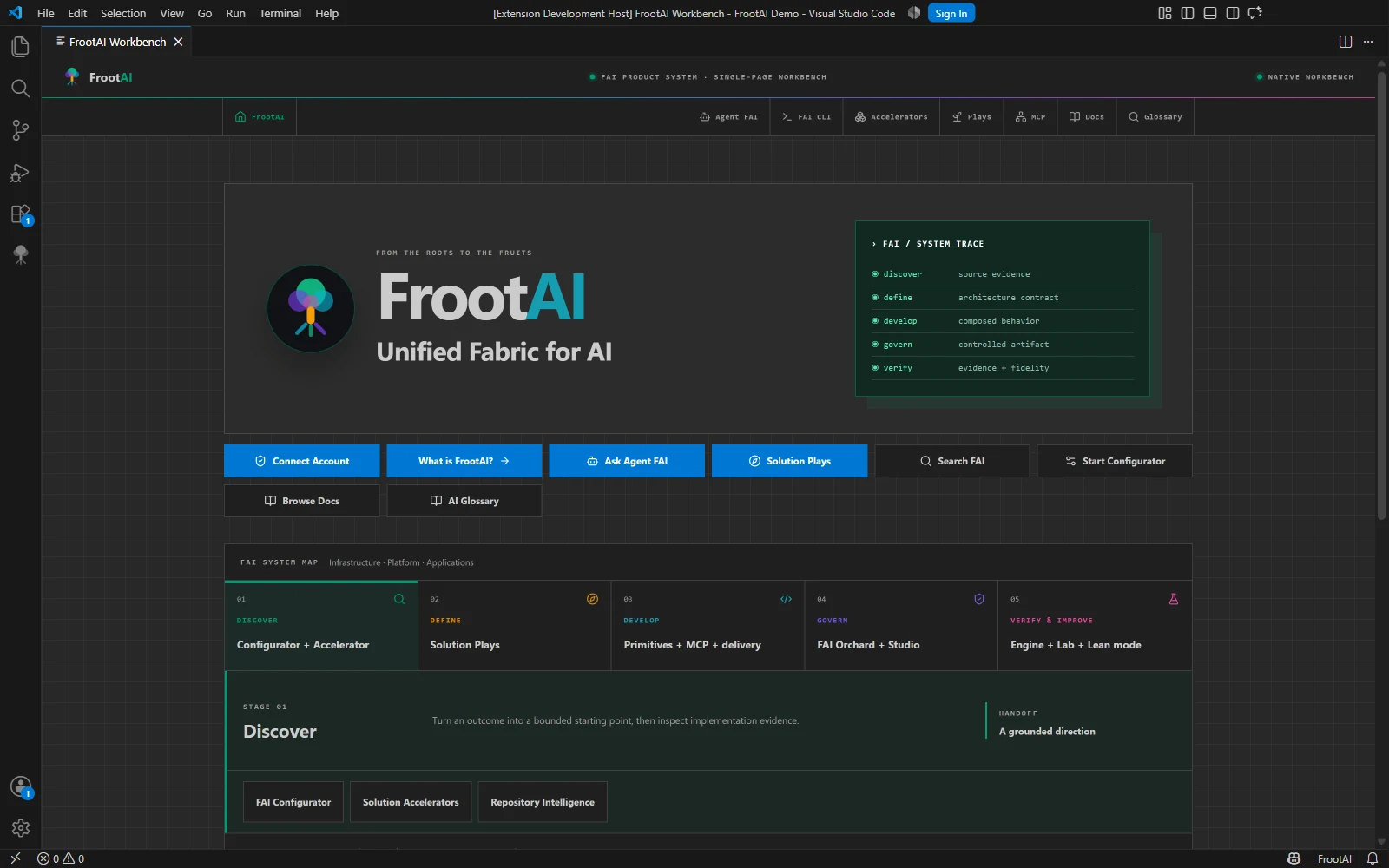
Inside VS Code
FrootAI workbench
One product system, right beside your code.
The native home connects discovery, architecture, reusable behavior, governance, and verification through the FAI product map.
One workspace. Editor and terminal.
Keep the visual workbench beside your code, then open Agent FAI CLI in the integrated terminal. The CLI has its own authentication; your extension key stays in SecretStorage.
The product map
A clear role for every part of the workbench
FrootAI separates architecture, reusable behavior, implementation evidence, guidance, and governed execution. Start with a complete Play or assemble only the pieces you need.
Product Workbench
Move through Discover, Define, Develop, Govern, and Verify from one native product-system map, with the next FAI surface always in context.
Solution Plays
Search canonical Solution Plays by outcome or service. Inspect DevKit, SpecKit, TuneKit, and evidence status before choosing a delivery contract.
Primitives Catalog
Choose agents, skills, instructions, hooks, and plugins from the offline catalog. Filter by domain and Well-Architected concern, then inspect before install.
Solution Accelerators
Compare cross-cloud repositories by publisher, capability, lifecycle, and source evidence. Discovery stays separate from the delivery contract you adopt.
Agent FAI
Plan or troubleshoot against the current workspace. Local discovery works offline; hosted reasoning requires a personal key and shows the context boundary first.
MCP & Federation
Inspect local stdio and hosted MCP setup, namespaced tools, publisher trust, and the attach, invoke, and detach lifecycle before connecting services.
The working loop
Search → inspect → build → run → deploy
FrootAI does not hide prerequisites. If a preview target, manifest, account, or runtime capability is absent, the UI names the requirement and offers the next corrective action.
Search
Search FrootAI or choose Find the Right Play. Catalog discovery works from bundled snapshots.
Inspect
Open a Play, render its architecture, compare services and directional cost, or inspect accelerator evidence.
Build
Preview the exact workspace file plan. Approve only the files and conflict policy you understand.
Run
Build, test, preview, review, and evaluate. Every governed operation records status and recovery evidence.
Deploy
Review Azure what-if evidence, approve the immutable plan, then deploy and verify.
Local by default. Explicit when hosted.
Local first
Play, accelerator, primitive, and knowledge catalogs ship with the extension.
Explicit hosted boundary
Hosted Agent FAI requires a personal API key and shows what context will leave the editor.
SecretStorage
Personal API keys are stored in VS Code SecretStorage, not workspace files or settings.
Approval gated
Scaffolding, package scripts, accelerator installs, and deployments preview their effect before execution.
Recoverable
Run history captures status, bounded result summaries, errors, and recovery instructions.
Connected surfaces. Distinct responsibilities.
- One native product-system workbench
- Agent FAI with an explicit account boundary
- CLI readiness and integrated-terminal entry points
- Canonical Solution Plays with delivery evidence
- Searchable, reusable AI primitives
- Cross-publisher accelerator discovery
- MCP configuration and publisher trust
- Docs and the AI glossary alongside the project
The gallery records an installed build, not a Marketplace release guarantee. Available capabilities depend on the extension you install.
Start in your workspace
Bring FrootAI into your editor.
Install from Visual Studio Marketplace. No repository clone is required. Connect your account when you need hosted Agent FAI, and keep discovery close to the code.
Install
code --install-extension frootai.frootai-vscode
Discover
Search or configure a Solution Play
Build
Preview and approve workspace changes
Recover
Inspect run evidence and recovery steps